Weak UX is silently killing your revenue (and not only it). You probably don’t see it happening—at first, things seem pretty much obvious and regular: users bounce, conversions slip, teammates get frustrated. But poor design has a very real price tag, and it’s way bigger than you think.
What’s the price tag of bad UX design?
Well, numbers say it’s expensive. Slow-loading websites can drain over $2 billion in sales every year (HubSpot).
There are many ways for it to happen. Still, the most common is the basic accessibility: 53% of mobile users abandon a page if it takes longer than 3 seconds to load (HubSpot). Speed and convenience aren’t just a nice-to-have; they’re revenue-critical. A few extra seconds can mean the difference between a sale and a lost customer.
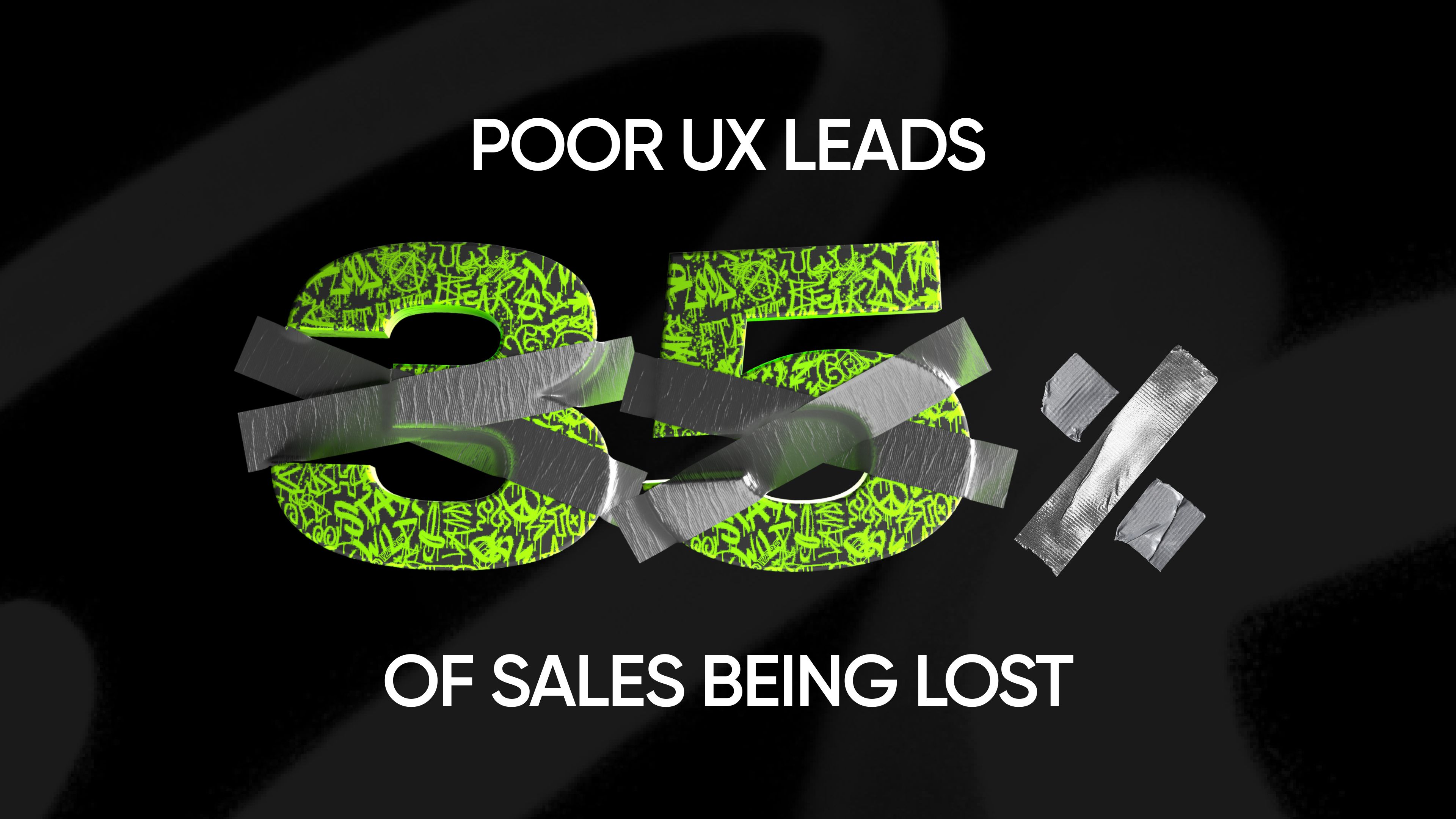
The cost doesn’t stop there. All told, bad UX accounts for up to 35% of lost sales, which turns into $1.4 trillion annually, according to a study by Amazon Web Services. That’s not an abstract number from a random example—it could be your ads, SEO efforts, and many dollars spent on marketing, all wasted because users never make it through the funnel.
Bad UX slowly kills your retention rate, so you may not notice it at a glance, as it tends to accumulate. It influences user behavior—sometimes, step by step, so you actually don’t see significant shifts in metrics.
Take this example, for instance: 88% of online consumers are less likely to return after a bad experience (HubSpot), which includes everything from clunky websites to apps that crash at the most inopportune moment.
All the way through a funnel for nothing? Well, yes. In fact, 90% of users also say they’ve stopped using an app altogether because it performed poorly (HubSpot).
That means every broken flow, every confusing menu, every unclear communication is quietly killing your revenue.
Even the giants aren’t immune to the UX struggles. Deloitte found that just a 0.1-second site speed improvement increased conversions by 8.4% in retail (Milliseconds Make Millions, Deloitte). If a fraction of a second can move the needle for companies with billion-dollar budgets, imagine what it could do for a growing business.
Think about it: if your site is even slightly slow or clunky, you’re not just “annoying” users, but literally turning away paying customers. The faster and smoother the experience, the more sales you close, the fewer leads you lose, and the happier your customers become.
Onboarding is your first and most expensive bottleneck
It’s the moment where you either gain or lose a customer, so be aware of things that can ruin it.
Let’s dive deeper with an example from the Web3 industry: a recent study found that around 65% of new users drop off after their first interaction with a decentralized application (Token Minds). Another study showed that 38% abandon during wallet connection, not because the product is bad, but because the onboarding flow feels confusing.
Friction kills growth in dApps: 60% of users drop off before even seeing the product’s value—they never make it past wallet connection.
And this isn’t just a Web3 problem. Translate that to any SaaS signup, ecommerce checkout, or mobile app login: if your onboarding depends on too many steps, too much jargon, or too many clicks, you’re losing the majority of potential users before they ever experience what you built.
Smooth onboarding doesn’t just make people happy—it’s literally the difference between a paying user and a churned lead. Streamlining those first moments is one of the fastest ways to boost activation rates and unlock growth.
Other ways when poor UX design hurts your business
Brand damage
75% of users judge a company’s credibility based on website design, and they form that opinion in just 3.42 seconds (Pop Web Design). One bad impression, and trust is gone.
Productivity drain
Internal tools with bad UX waste employee time. If every click takes longer than it should, you’re literally paying salaries for inefficiency.
Wasted marketing spend
You can pour thousands into ads, but if your UX sucks, you’re paying to funnel leads straight into a leaky bucket.
Customer churn
Even loyal users have limits: 32% of consumers will abandon a brand they love after just one bad experience (PWC). In Latin America, that number spikes to 49%.
Audit your product: UX checklist
Use this quick self-audit to spot if your business is quietly losing money due to poor UX. If you say “yes” to even a few of these, it’s time for a redesign (or at least a UX sprint).
- Bounce rate is above 50–60%, meaning that users leave before engaging
- Solid traffic, but weak conversions (prove your funnel is leaking)
- Customer lifetime value is dropping as a bad experience pushes them to competitors
- Customers call support to reset passwords or understand basic steps, and support agents spend time walking users through “obvious” flows
- Site doesn’t adapt well to different devices (e.g., buttons are too small or too close together)
- Pages take a long time to load (remember: 3 seconds is maximum)
- Navigation is confusing or inconsistent—pages also look cluttered, inconsistent, or not aligned with your brand
- Your design feels outdated—users judge credibility based on aesthetics, too
If this checklist stings a little, that’s a good thing—it means you know where to start.
How to stop burning money on UX
UX problems aren’t magic; they can be found and fixed systematically. Here’s how to do it (and what we do at Qream):
Run usability tests
You don’t need a huge research budget. Testing even with just 5 users can uncover most of the UX problems. Watch where they get stuck, what frustrates them, and what confuses them—it’s often painfully obvious.
Map the customer journey
From the first ad click to checkout confirmation, trace every step of the experience. Where are people dropping off? Is it a broken button, unclear copy, or too many form fields? This exercise shows you exactly where money leaks out.
Fix the money leaks first
Focus on the highest-impact areas: checkout flow, signup/onboarding, mobile responsiveness, or page speed. Small changes here often cause the biggest revenue jumps.
Benchmark against competitors
Visit competitor sites as if you were a customer. How fast do they load? How many clicks to purchase? If they make it easier, guess where your audience is going.
Bring in experts
Fast and easy design is fine until it costs you real money. A UX pro can spot issues in minutes that you might miss for months. Plus, they’ll make sure the fix aligns with your brand and doesn’t create new problems.
Measure, iterate, repeat
UX is not “set and forget.” Keep tracking performance, run A/B tests, and continuously improve. That’s how you stay ahead of competitors and keep customers happy.
Start improving your UX
Every $1 invested in UX brings $10 to $100 ROI (UX Planet). So stop treating UX like decoration. It’s the backbone of your revenue, your brand, and your customer loyalty.
Written by

Qream co-founder | Design and product direction
Leads Qream's creative and product direction, connecting brand strategy, experience design, and business goals. Reviews content where design strategy, UX/UI, customer experience, and brand execution are central.