TL; DR
The top 10% SaaS website design makes three structural decisions differently: outcome-first messaging that speaks to the buyer, separate conversion paths for different deal sizes, and trust signals that scale with the contract value. In Unbounce’s 2024 benchmark data, the median SaaS landing page converts at 3.8%, while the top 25% reach 11.6% and above.
Here you will find out whether your website's full potential is live—or locked.
Open ten examples of SaaS website design and the pattern becomes obvious fast. Same purple-to-pink gradient. Same abstract hero. Same “AI-powered platform for business” headline. Swap the logos and most people would barely notice.
Qream is a brand transformation agency that has developed designs for SaaS companies such as TimeCamp, Snowbit, and RetireUS. We've noticed that the same issues show up in projects and hold conversion rates back. Let’s start with what trips up the average SaaS website.
Why most B2B SaaS website design feels like "deja vu"
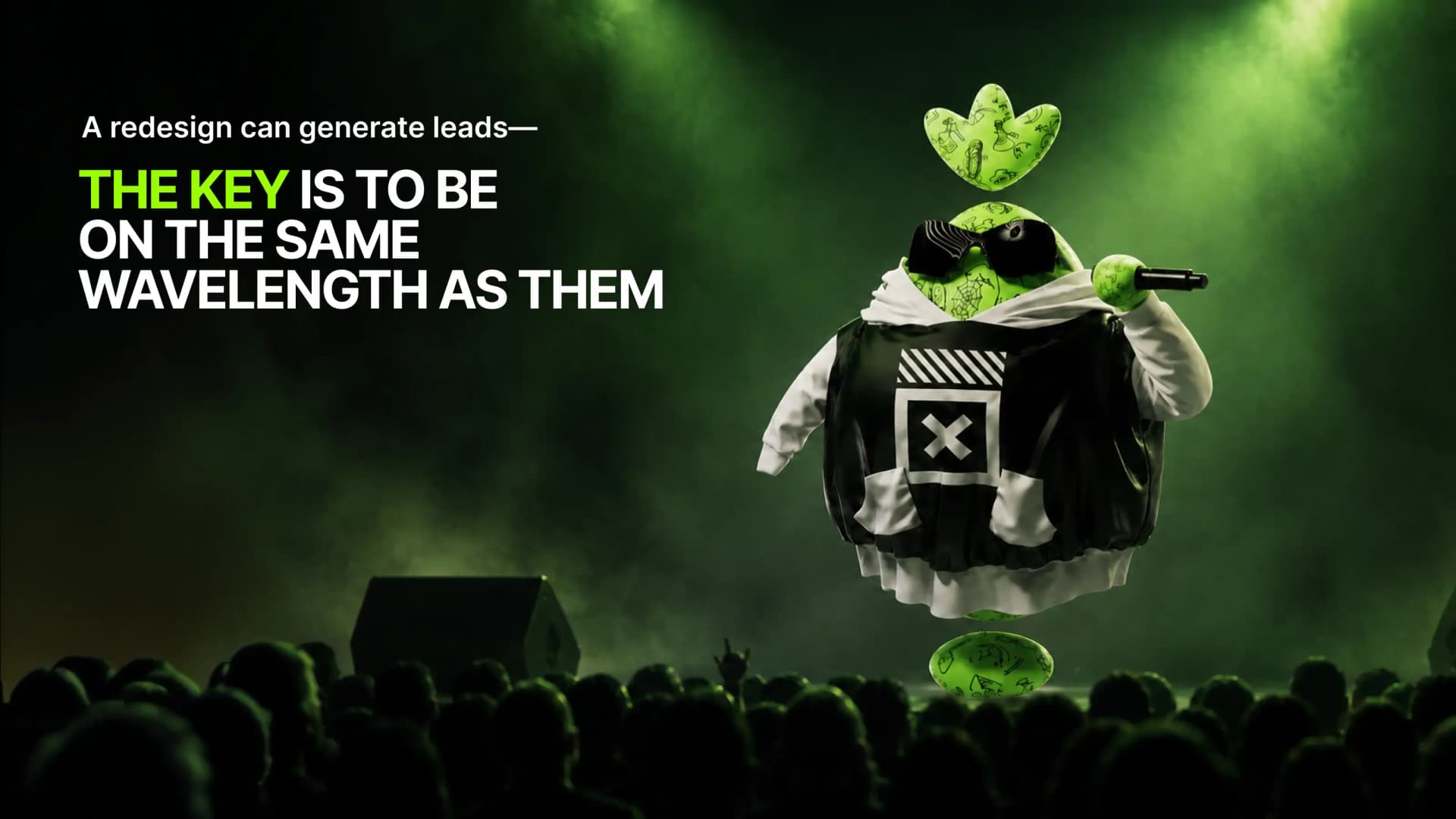
The problem isn't a lack of creativity. The problem is a lack of focus on the customer. A design that doesn't scream “we're here to solve your problem” loses the battle before the visitor even scrolls down to the important information.
Template aesthetics that signal "early-stage", not "market leader"
There’s a specific visual language that still reads as “this company just showed up” even when the revenue says otherwise. Soft gradient backgrounds. Abstract illustrations with no connection to the actual product. Inter or DM Sans because they looked modern enough a few years ago. By 2026, that combination has become a category cliche.
When an enterprise buyer lands on a templated site, the first thing they do is a quiet risk check. If the site doesn't clearly signal who it's for, they assume it's not built for companies like theirs. That clarity decides whether they move forward or walk away.
Users don't want to read lists of features—they want to know what changes
By the time someone lands on your SaaS website, most of the initial research has already been done. 6sense 2025 reports that B2B buyers complete roughly 70% of the decision journey before they ever contact a vendor.
That means they are not there to decode a feature dump. They want to confirm whether this company understands their problem.
Feature lists describe the product. Outcome-first messaging describes the buyer’s life after the product is in place, and that is what moves people.
One CTA fails everyone
Even a great offer needs the right invitation. "Try for free" is built on a specific assumption: the buyer is ready to explore the product independently, make a decision within a week or two, and subscribe without ever talking to anyone. For a self-serve buyer: a small team, a solo operator, an early-stage startup—that works.
No question about it. But that's not the only type of buyer on a B2B SaaS website.
Social proof without context is just noise
"Trusted by 1,000+ companies". Sure. With a row of logos you can barely make out. Yeah, we've seen it too.
They're not looking for scale. They're looking for relevance. A named client, a concrete result, a well-told case study: that's where trust actually works. A logo row answers none of the questions a serious buyer is asking.
What top SaaS websites do in 5 moves, and how to pick it up
Most SaaS websites describe a category. The top 10% describe the person who needs the product and what their work looks like after they start using it. That shift sounds small, but it changes the whole site. Here are the six moves that keep showing up in the strongest examples.
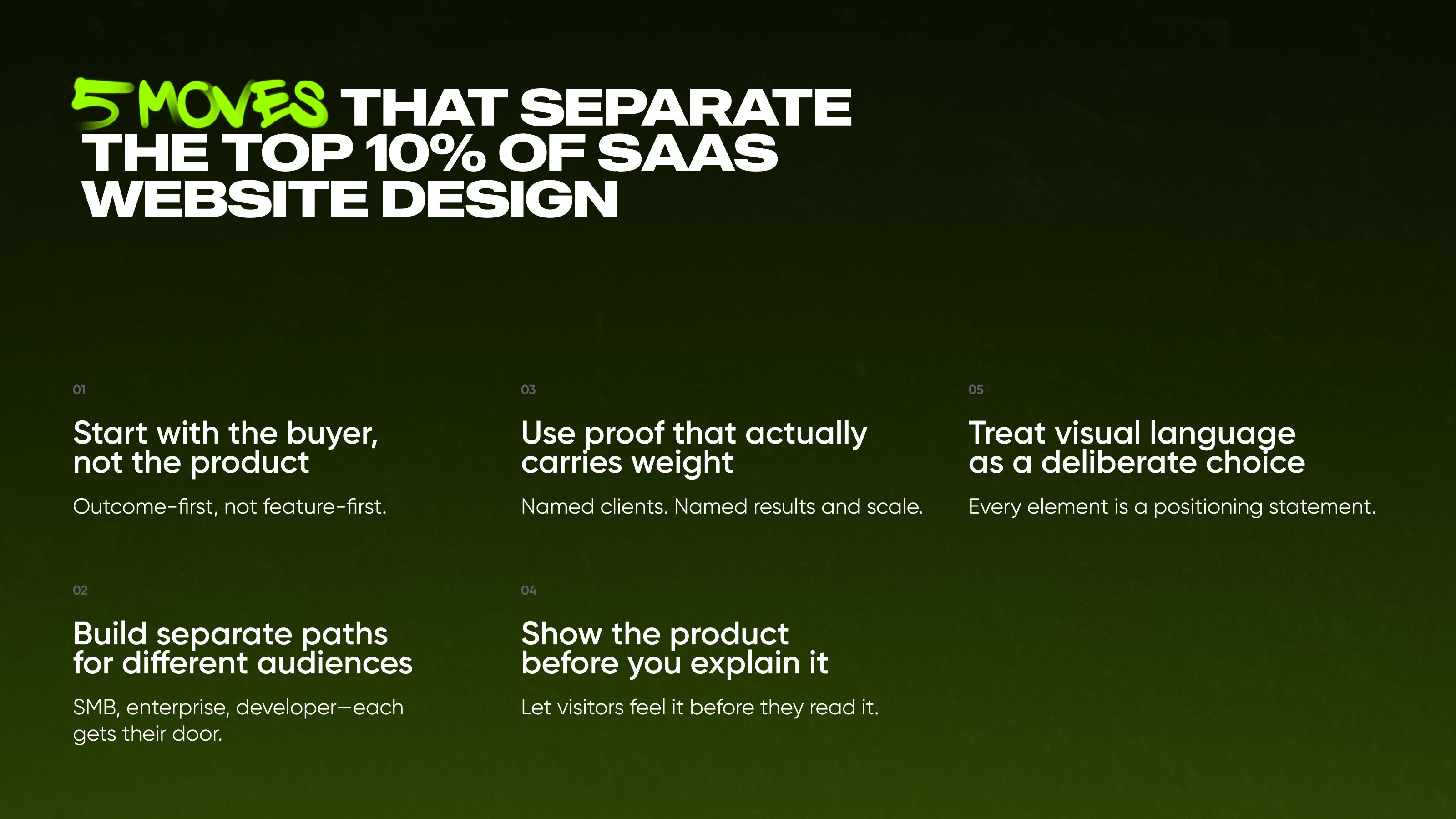
01 Start with the buyer’s needs, not the product
Linear’s homepage does not open with “project management software”. It opens with: “The product development system for teams and agents”. Every word earns its place. “Product development system” positions the tool as infrastructure, not a task tracker. “Teams and agents” signals the AI-native era without overexplaining it.
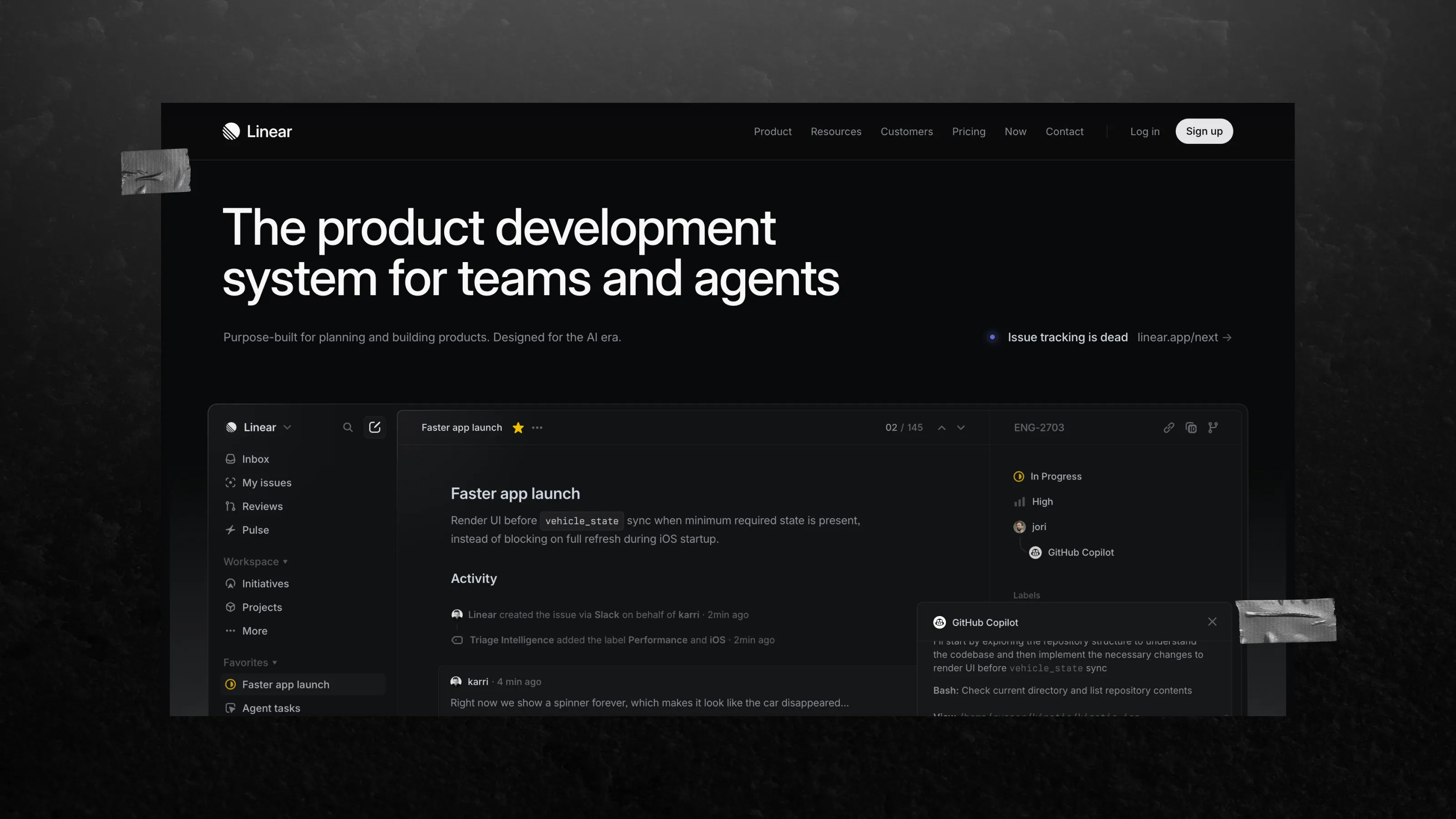
That’s the point of outcome-first messaging. It answers the question most SaaS websites skip: not “what does this do?” but “who does the buyer become after they start using it?”.
02 They build separate paths for different audiences
One product, multiple buyers—and each one gets a different front door. Notion handles this well on its homepage. A solo user or small team sees “Get Notion free”, which keeps the path light and clear. An enterprise visitor sees a “Request demo”, which sets a very different expectation from the first click.
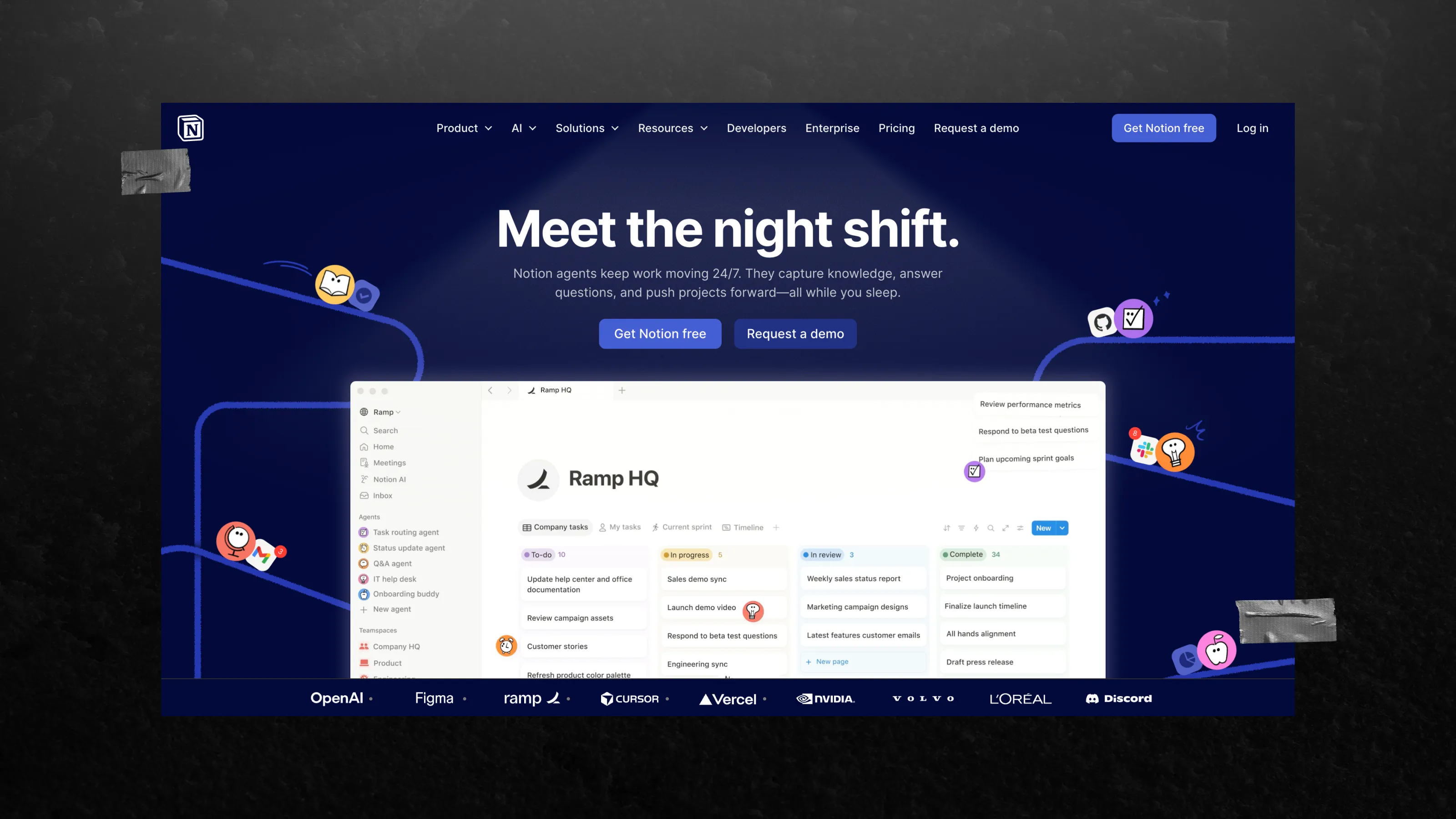
The proof around it is segmented too. “100M+ users” speaks to scale and familiarity. Ramp’s case, with 300+ active AI agents daily, speaks directly to buyers assessing platform maturity. One main page, but different audiences and sets of arguments. None of them conflict with one another.
03 Use proof that actually carries weight
Stripe also displays a live counter on one of its pages showing the global GDP processed through its platform. This proof immediately answers the real question businesses have, before anyone even voices it: “Are they experienced enough to handle us?”.
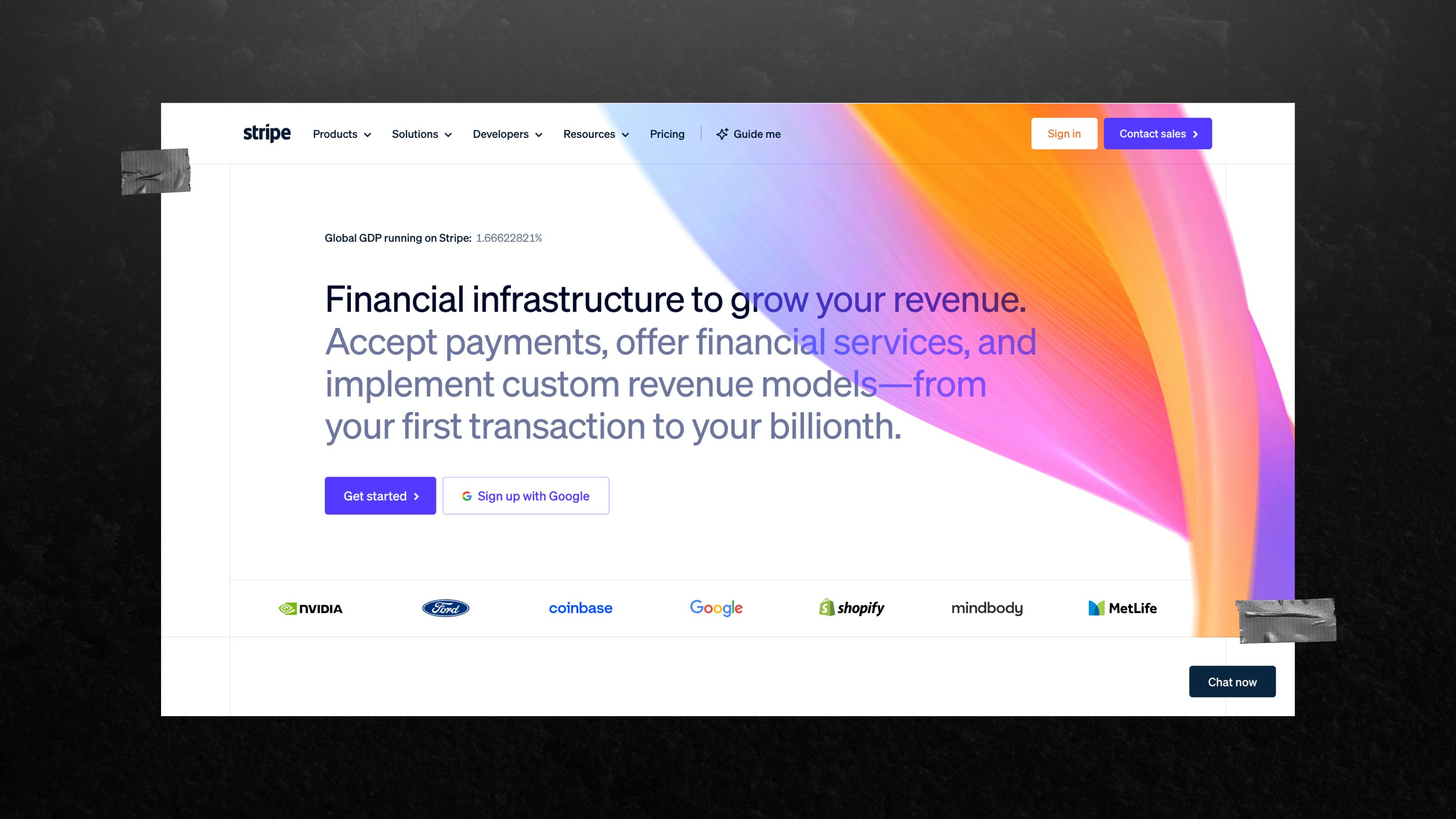
They also provide specific, relevant facts that demonstrate their success. All the companies are named. The results and scale are specified. This is the difference between social proof as decoration and social proof as an argument.
04 They show the product before they explain it
One of the strongest moves in SaaS landing page design is to stop describing the product and let the visitor feel it immediately. Webflow does exactly that. The page opens with one question: “How do you want to build?”. Then it offers three paths—AI site builder, template, or blank canvas. No explainer about what Webflow is.
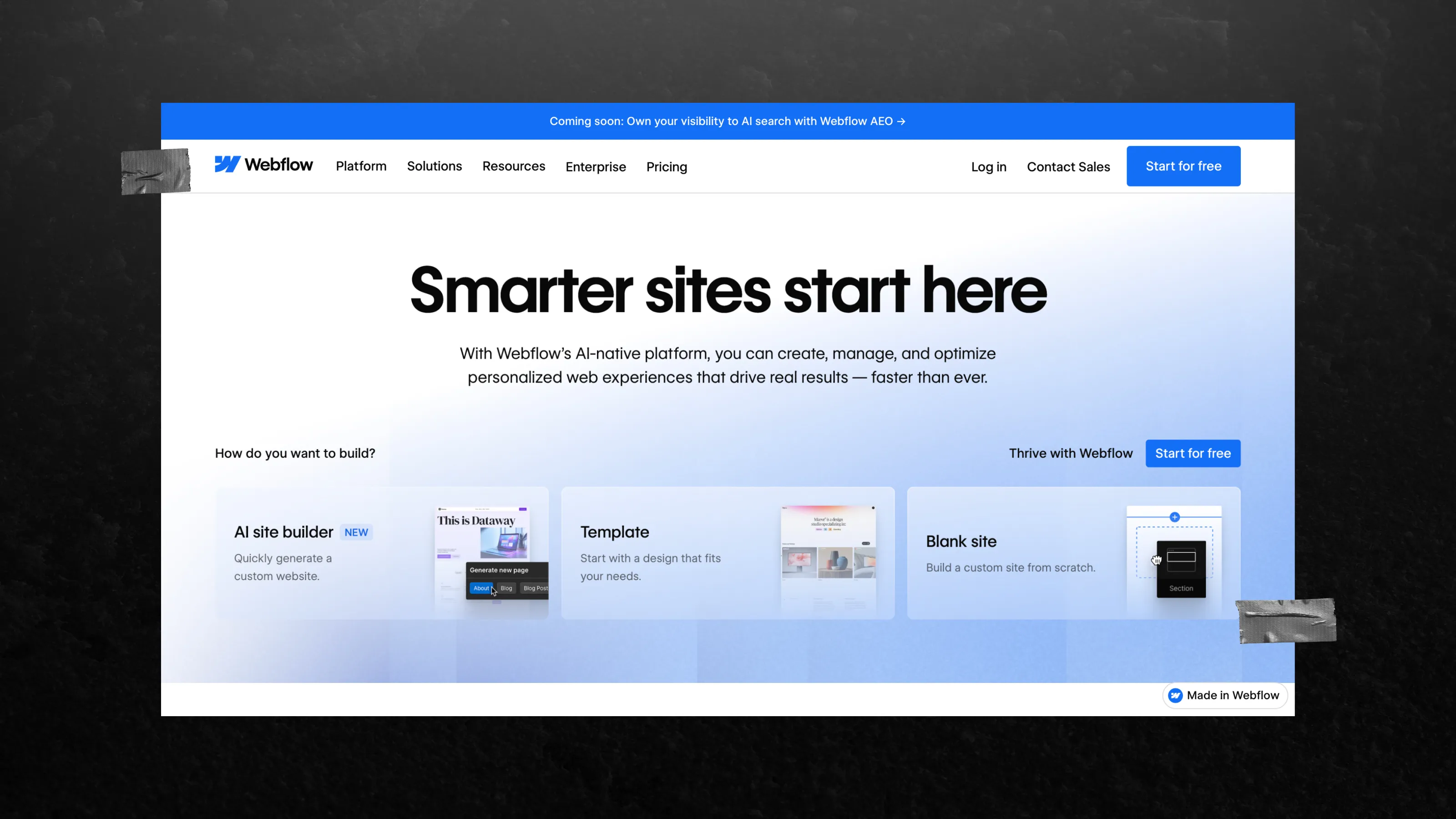
No feature list. Just a decision point that meets the visitor where they already are.
Notion takes a different route, but the logic is the same. The first screen shows AI agents working in real time—sorting feedback, updating task status, pushing work forward. It is animation, not a feature slide. The product is doing the job before the user has to imagine it.
05 Treat visual language as a deliberate choice, not a default
Every visual decision says something about where a company sits in the market. The only question is whether it says the right thing. Dense typography, animated product flows, dark editorial layouts—these are not random aesthetic preferences for a serious SaaS website design company. They are positioning decisions.
You can have a technically polished site and still leave buyers unsure who it is actually for. In the B2B SaaS sector, such uncertainty is costly, so in addition to design, it’s worth investing in branding as well.
SaaS landing page design in action: what really stands out
These principles are easy to list. Examples are where the real signal shows up. Here are two reference SaaS sites and two Qream cases that show how the ideas above look in practice.
The design immediately makes it clear what the product is, how it works, and who it is for
In an overcrowded SaaS category, Linear does not try to win by talking louder than everyone else. It simply uses the first screen to show who it is, how the product is structured, and who it is built for.
The layout, hierarchy, and restraint all work together to make the product feel clear from the first glance. That is what turns positioning into something you can actually feel, not just read.
That is the power of this kind of design: it does not ask people to figure things out longer than needed. It sets the right context right away.
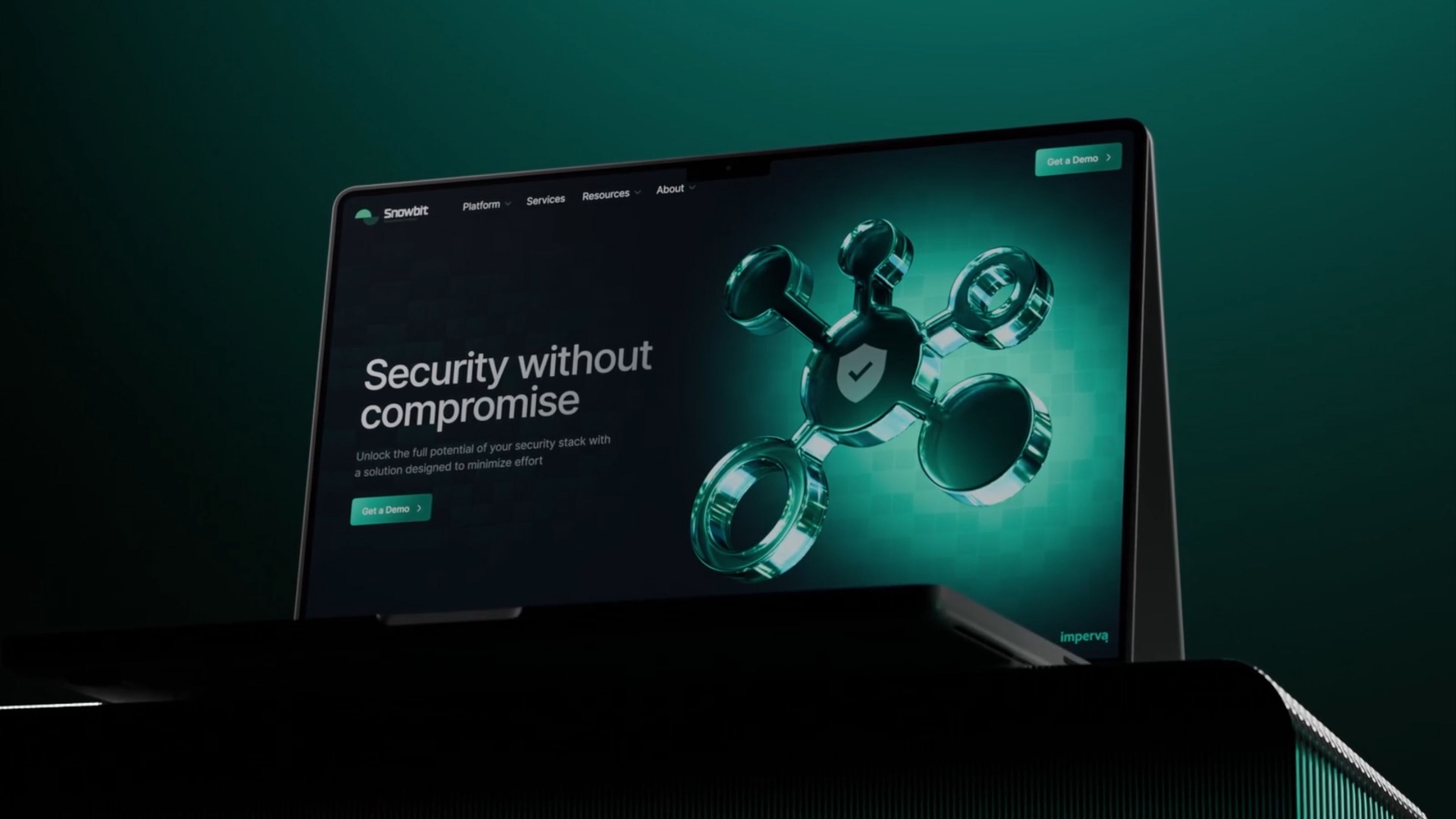
Creating a cybersecurity brand you'll remember
Snowbit is a platform that takes care of your cybersecurity. In this field, visual design often boils down to the same colors and generic stock icons. Snowbit needed to break this mold without compromising trust.
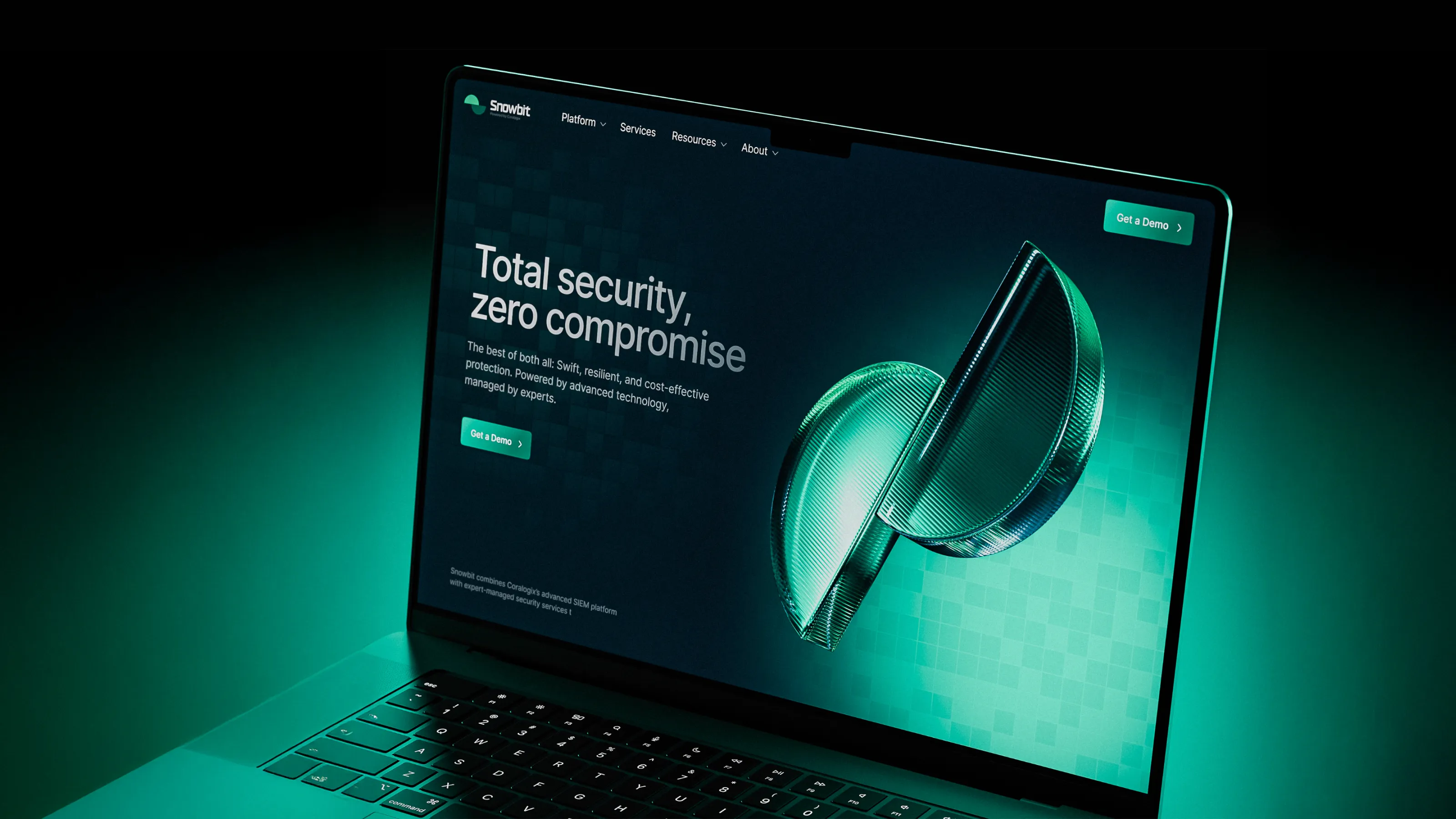
Qream created a website design that aligned with the industry’s logic while still standing out from the crowd. We also developed custom 3D icons, animations, and product-focused layouts to help achieve this.
Every detail of the site conveyed the insight that this is a serious product in the security sector, not a startup merely testing the waters.
Entrust your retirement to a fintech platform? Why not?
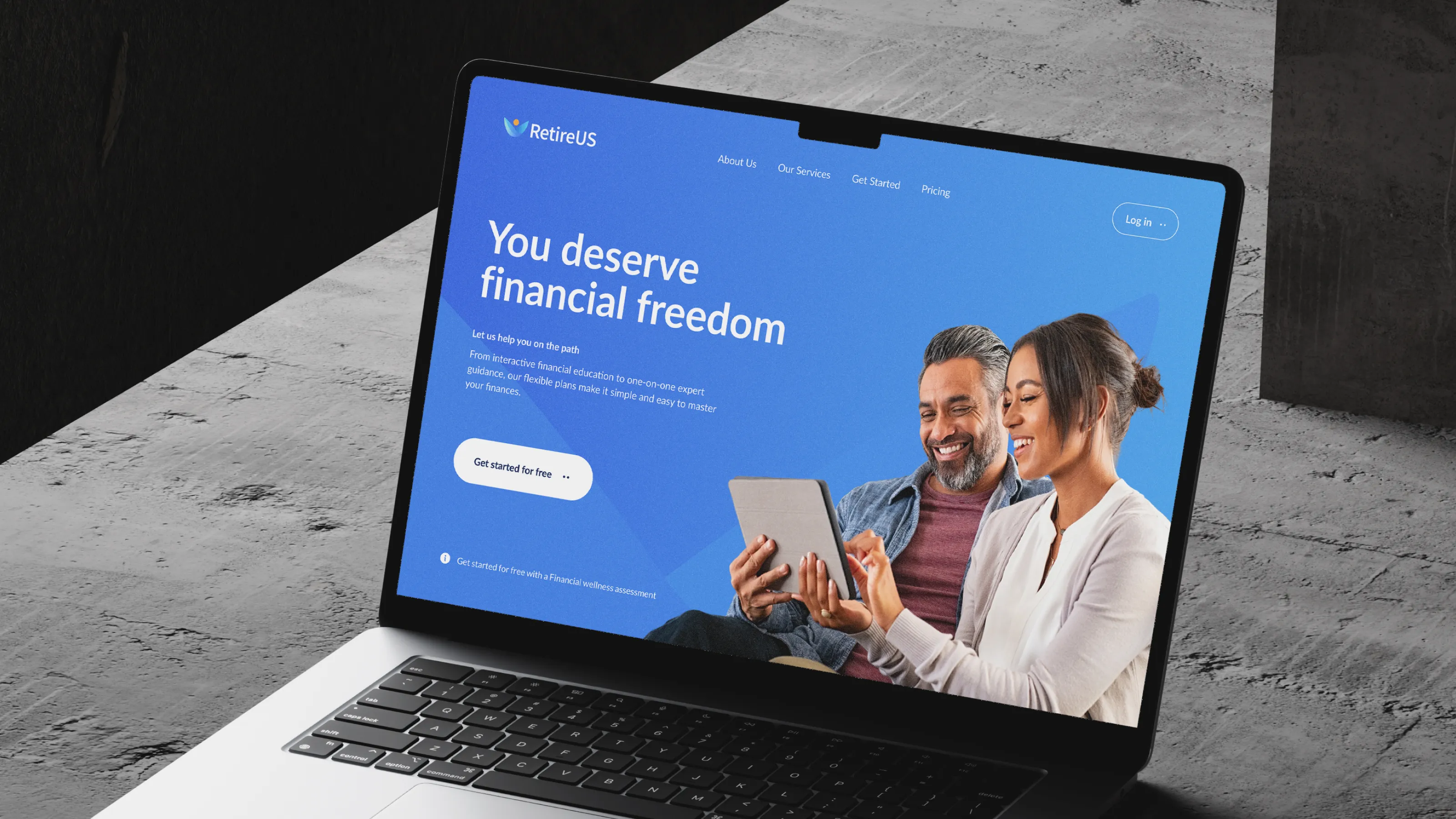
RetireUS is an American fintech platform helping users plan for retirement early—with advisors, unlimited chats, and tools to assess their financial health in minutes. We made sure the RetireUS website directly links educational information with product discovery.
The user experience on the site became crystal clear. Navigation was simplified, and the cognitive load was significantly reduced. Every element guides them toward what matters: understanding their financial situation and connecting with a trusted advisor.
Our goal was simple: to translate our social mission into an accessible SaaS format—an intuitive design that drives conversions without unnecessary confusion. Nothing beats a website designed to speak for itself.
Your SaaS product should do more than look good
It should make the right buyer feel like they already understand the product before they speak to sales. Every site we audit tells a similar story. Different products, different stages, same four gaps. These are the ones that keep showing up, and they are usually easier to fix than teams expect.
Four SaaS UX design mistakes that kill conversions
Mistake 01: Hiding pricing behind “Talk to sales”. If they cannot find a number, two things happen at once: they assume the cost is worse than it is, and they open a competitor’s pricing page in under 30 seconds. “Talk to Sales” as the only pricing path is not strategic friction—show what you can. Explain what you cannot. Even the phrase “price from X dollars” is better than a form that says nothing.
Mistake 02: A hero section that explains nothing in five seconds. Enterprise buyers do not scroll first to understand your product. If the value is not clear from screen one: what it does, who it is for, why it matters—they are already gone.
The hero is not where you tell your brand story. It is the fastest sales pitch you have.
Mistake 03: Using a number where a story should be. “10,000+ customers” tells a serious buyer almost nothing.
The swap is simple. Replace the count with a case. Not a testimonial, a result. Industry, company size, problem, measurable outcome. That is the information that moves a high-value decision forward.
Qream is a brand transformation agency. In our experience, this is where pages start feeling less generic and more convincing.
Mistake 04: A PLG homepage trying to close enterprise deals. “Start for free” is the right CTA for a solo founder testing a tool on a Tuesday afternoon.
But SaaS websites optimized only for product-led growth quietly lose enterprise deals the moment they land on the homepage and realize there is no other door. The fix is to add a parallel path: “Request demo”, a stated response time, and a security overview link. One homepage, two doors where both open.
B2B SaaS websites start at $25K-$80K depending on scope and strategic depth. Lower budgets cover template builds with faster timelines. Custom strategy + design + development for scaling companies hits $40K-$80K—where positioning and conversion paths get real attention.
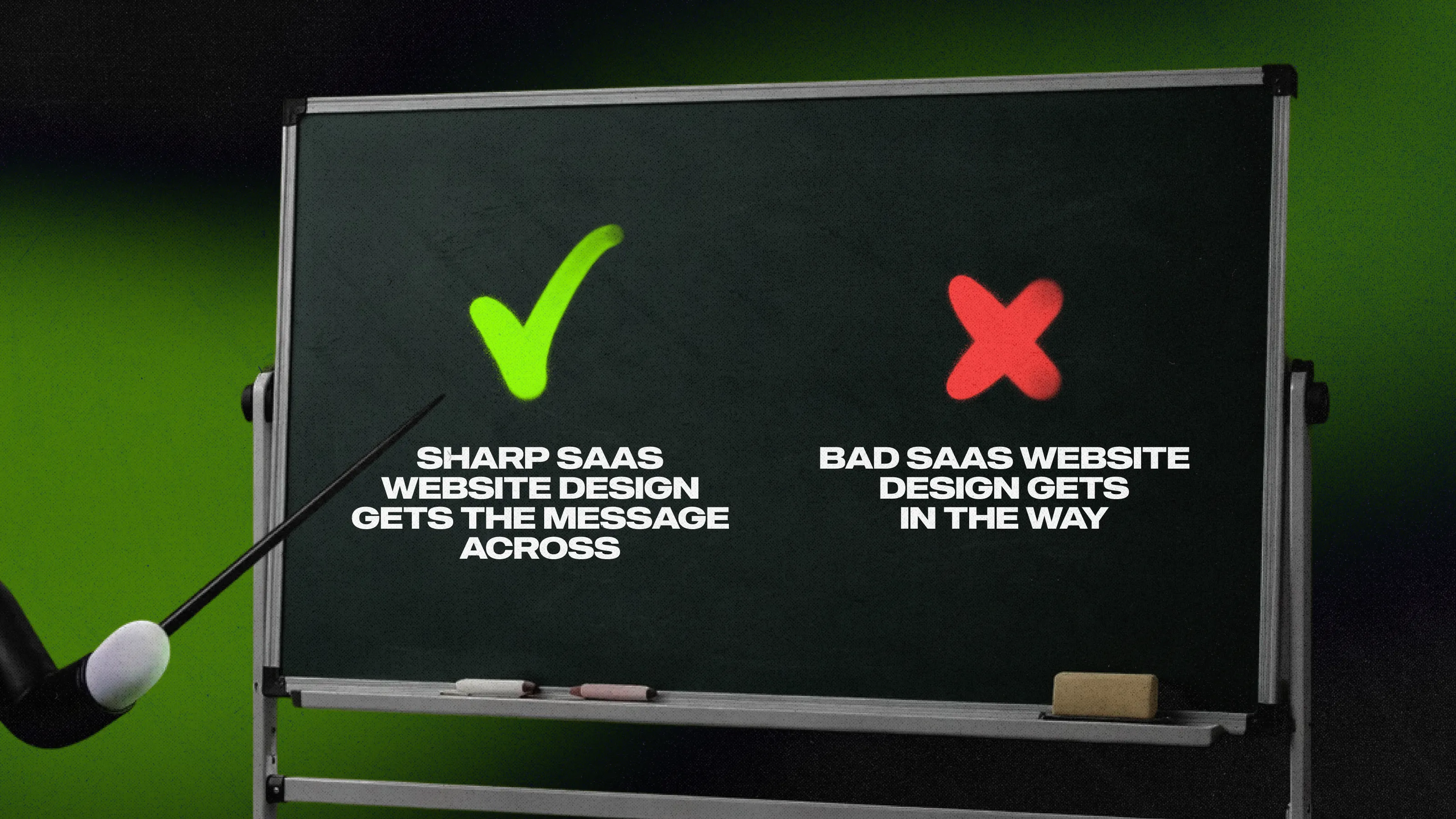
A good SaaS website makes two things clear very fast: what the product does and who it's for. The sites that convert better usually do four things well—they lead with outcome-first messaging, match navigation or CTAs to deal size, build trust signals around named clients and concrete results, and show the product above the fold instead of burying it three screens down. Get those four right, and the site earns the next conversation rather than having to force it. How we deal with this.
Start with clear outcomes over vague features. Show the product working above the fold—live demo, not screenshots buried in text. Make social proof concrete: named clients + specific results they got, not "1,000+ companies". Create separate paths for different buyers instead of one generic CTA. Design so visitors instantly understand "this solves my problem" in 5 seconds flat.
Look for a portfolio with a saas design company at your stage and deal size, proof of outcome-first messaging, and a process that starts with buyer research, not wireframes. An agency that jumps straight to design without understanding your ICP will produce a beautiful site that converts wrong buyers.
Not sure your site is working as hard as your product?
Most of the websites we review have the same issues. Often, they don’t require a total overhaul to fix them, but they do need some upgrades. We're always open to talk.
See how Qream builds SaaS websites.
Written by

9 years scoping and running client projects
Sed do eiusmod tempor incididunt ut labore. Has scoped 300+ B2B design and web production projects, and sits on the first call with almost every client.