TL;DR
A good B2B website makes your business easy to understand and evaluate, gives each buyer a clear next step, and leaves your team able to run the site. Before you invest, settle five things:
- Goals: a few measurable goals with baselines and one owner.
- Scope: what you really need, from a targeted fix to a full rebuild, and who provides which inputs.
- Partner: evidence of relevant work and a senior team, not awards alone.
- Launch: a tested checklist and a clear handover of accounts and assets.
- Results: judged against the agreed baselines, in context, without expecting guaranteed conversions.
A new B2B website sounds simple until the questions start piling up. What actually needs fixing? How much should you spend? Who should build it? And how do you avoid discovering the expensive stuff halfway through?
We pulled the most important questions into five blocks:
- Deciding what the website needs
- Budgeting and choosing a partner
- Planning content and buyer journeys
- Choosing technology and managing risk
- Launching and operating the website
Each answer gives you a clear recommendation, what might change it, and a practical check you can run before spending the budget. This FAQ is made for founders and marketing leaders working on websites for technology, SaaS, and service businesses.
Pick a question, get the answer, and move on. Your website has enough tabs open already.
Deciding what the website needs
What makes B2B web design different from B2C web design?
B2B and B2C websites have one big difference: how many people need to say yes.
On a B2C site, the person browsing is usually the person buying. B2B is rarely that neat. You might have someone shortlisting vendors, someone checking the technical details, and someone else signing off the budget—all looking for different answers.
That means a B2B website needs clear paths for different roles without turning into a maze of menus, personas, and endless content. The more people involved in the buying decision, the more tailored those paths may need to be. But at the end of the day, they’re still people trying to figure out whether your business is right for them.
A simple check: list everyone involved in the decision and the one question each person needs answered. Then see if they can find that answer within three clicks.
Do we need a full redesign, or can we improve the current site?
Whether you need a redesign or a few smart fixes depends on what’s actually wrong with the site, what has changed in the business, and what you need the website to do next.
Targeted improvements make sense when the foundation still works, and the problems are mostly visual or incremental. Think sharper copy, a few new pages or CTAs, updated imagery, or a light brand refresh with new colors and a new favicon. The site works—it just needs to catch up with the brand.
A redesign is a different story. If conversion is poor, the site feels dated or generic, or your positioning, products, or services have changed significantly, the old structure may no longer fit the business. The same goes for a CMS or site architecture that makes important changes difficult. In these cases, polishing the existing site can become an expensive way to avoid the bigger job.
There’s one thing a redesign can’t fix: an unclear offer. If people don’t understand what you do or why it matters, a prettier website will only make the confusion prettier. Sort out the positioning first.
Before you decide, get an audit. Ideally, have a strategist look at the site and separate the symptoms from the actual problems. You may need a strategic audit covering goals, positioning, and content, a design audit covering the visual side, or both. The useful outcome isn’t a list of things someone doesn’t like—it's knowing which pages underperform, for whom, why, and whether a targeted fix can solve it.
Do we need to rebrand before redesigning our website?
Not necessarily. You don’t need a new brand just because you need a new website.
If your positioning is clear and your existing identity can support the direction you want to take, a website refresh may be all you need. But if your team is still debating who you’re for, what you offer, or what makes you different, jumping into design too early can mean doing the same work twice. Once the positioning changes, the copy, structure, and layouts usually follow.
The real question is: how settled is the story? Can your leadership team agree on who you serve and why you’re different in one clear sentence? If yes, you can probably move ahead with a visual and content refresh. If not, sort out the positioning before picking a vendor.
How can web design help generate better B2B leads?
Good B2B web design doesn’t just chase more leads. It helps the right people recognize the value, trust the proof, and take the next step.
Clear messaging, relevant case studies, and well-placed CTAs can help qualified prospects move forward while making the wrong-fit ones think twice. And that’s not a bad thing. Ten relevant inquiries can be more useful than a hundred form fills that go nowhere.
Design can’t rescue a weak offer or magically fill your pipeline, though.
Which business goals should we set before a website project?
Before touching the design, pick a few measurable goals and record where you’re starting from. And keep the expectations realistic: no web studio can promise higher conversions or better profitability. Those depend on plenty of things outside the website—from your offer and pricing to traffic quality and the sales process.
Instead, focus on what the website can actually influence: how people use it, how well it performs, and how easy it is for your team to keep it moving.
Useful goals usually fall into three buckets:
- Engagement. Time on page and bounce rate can show whether people stick around or leave quickly. Look at them by page type, though. A contact page and a 2,000-word case study shouldn’t have the same benchmark. And remember: engagement is a signal, not a measure of lead quality.
- Performance. Google’s Core Web Vitals give you concrete numbers for loading speed, responsiveness, and visual stability. That makes them easy to benchmark before launch and check again after.
- Operating speed and cost. A flexible CMS, reusable components, and a sensible content structure can make everyday updates much faster. One simple metric: how long does it take your team to launch a new landing page? A solid system can also reduce the need for major rebuilds every time the business evolves.
Some projects also have goals around investor or recruiting credibility. Include these if they genuinely matter to the project—a polished, well-structured website can play a supporting role in both conversations.

Budgeting and choosing a partner
How much should a B2B website cost?
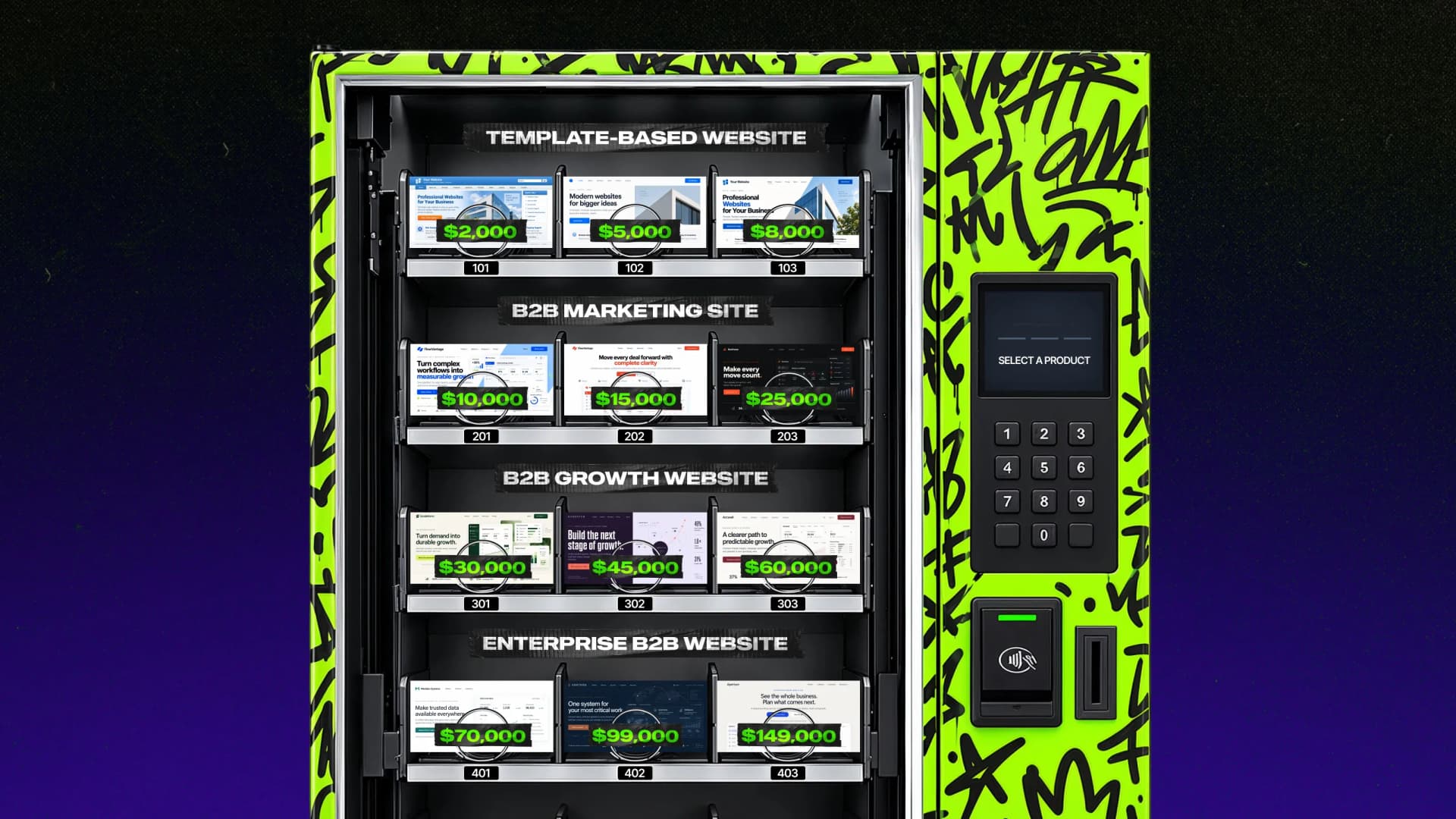
There’s no useful single price for a B2B website because scope can vary wildly. As a rough starting point, a simple five-page website typically starts at around $15K. From there, the budget can move quickly depending on what you’re actually building.
The biggest cost drivers are usually research and strategy, the number of unique page templates, copywriting, integrations, content migration, and post-launch support. Ongoing costs such as hosting, licenses, and maintenance should also be counted separately from the initial build.
When comparing proposals, compare the work before you compare the totals. A $20K website and a $50K website may simply include very different things. Ask what’s included, what isn’t, and whether the provider can show comparable past projects with a similar scope.
How long does a B2B website project take?
The timeline depends more on dependencies than on design hours. Strategy, 3D design, and animation can add time, as can extra revision rounds or slow client feedback. There’s a big difference between time spent working and time spent waiting—and most delays happen in the second category.
Ask your provider to break the timeline into clear phases and flag which ones depend on your input. Sharing research, brand materials, content, and references upfront can also speed up the preparation phase.
And if someone promises a launch date before seeing your content, understanding your requirements, or knowing how quickly approvals will happen, treat it as an estimate—not a fixed deadline.
What does our team need to provide, and who approves the work?
Your team’s job is to bring the context—research, references, brand materials, and a clear point person for feedback.
Helpful inputs include competitor, market, and audience research; examples of websites you like or definitely don’t like; your brand platform or existing branding; and your tone of voice.
You don’t need everyone to agree on every pixel. You do need one person who can make the call when opinions clash and consolidate feedback before it reaches the design team.
Late feedback and extra revision rounds can push the timeline, so agree on the process before design starts: who signs off, how feedback is collected, and how long each review window lasts.
How do we choose a B2B web design agency?
Choose an agency based on evidence that they can solve your specific problem—and on who will actually be doing the work. A great portfolio is useful, but it’s only half the picture. Start with the team, then look at the stack, the work, and the people behind it.
- A full-service team. When design and development happen under one roof, there’s less room for ideas to get lost between the concept and the final build. What you approved is more likely to be what actually launches.
- The right specialists. Strategists keep the website connected to the business goal. Copywriters make the content useful and readable. Motion and 3D designers can take the visual direction further when the project calls for it. You don’t need every specialist on every project—just the right ones for yours.
- The tech stack. Make sure the agency works with the platform you need, whether that’s Webflow, WordPress, or another one. A beautiful site you can’t maintain is not much of a win.
- The portfolio. Don’t just scroll through the pretty pictures. Ask how the agency approached the problem, what decisions it made, and what changed as a result. One relevant case they can unpack in detail may tell you more than a famous project in a completely different context.
- Awards. Awards can show industry recognition and a studio’s approach to ambitious design, but they’re one signal—not proof that the agency is right for your project.
- Seniority. Ask who will actually be on the project day-to-day. A senior lead on the first call doesn’t tell you much if most of the work is handed to junior designers and developers. Check the experience level of the people who will actually make the thing.
And don’t forget the less glamorous questions: How do they handle delays? What happens when feedback takes longer than planned? And what exactly does your team get at handover?
Should we use an agency, a freelancer, or an in-house team?
The right setup depends on your scope, your team, and how much coordination you can realistically take on.
A pre-seed startup, for example, may not need a full agency for branding and a custom multi-page website. A good template and a smaller team may do the job just fine.
An agency makes more sense when you need strategy, messaging, UX/UI, copy, design, and development to work as one project—and don’t have the time or people to coordinate all those pieces yourself.
Planning content and buyer journeys
What should a B2B homepage communicate first?
A good B2B homepage should answer three questions at the first screen:
- What do you offer?
- Who is it for?
- And why should I care?
The rest can come one clear step later. Let visitors dig into case studies, proof points, services, or product details without making them hunt for the basics.
Which pages does our B2B website actually need?
The pages a B2B website needs depend on its type, its audience, and its goals, so there is no universal page count. Most sites still share a core set: a homepage, product or service pages, case studies or a portfolio, an About page, and a 404 page. Beyond that, the structure diverges with your business.
Additional pages make sense when they answer a distinct buyer need:
- Solution or service pages, when you serve several segments or offer a range of services.
- Career pages, if you recruit actively.
- News pages, if you have regular company updates.
- Certificates, licenses, and other documents, where buyers need that proof to trust you.
- A blog or research section, if you publish content that helps buyers evaluate you.
Who should write the website copy and when?
Research and messaging should shape the page structure, while copy and design should develop together. Real content has a habit of changing layouts, hierarchy, and even which sections belong on the page. Treating copy as placeholder text to “drop in later” usually means redoing work you’ve already paid for.
At Qream, a content strategist can take care of the copy from start to finish—or work with your existing content. That can mean writing the messaging from scratch, reviewing and improving your current copy, or shaping the content structure before writing begins.
What proof should a B2B website show?
The right proof depends on what your buyer needs to believe before they’re ready to talk to sales. Someone worried about delivery wants to see a relevant case study—what the challenge was, what you actually did, and what happened next. A technical evaluator may care more about product details, integrations, or technical evidence. A cautious executive might look for credible testimonials or recognizable clients. If you publish results, give them enough context to mean something: the baseline, timeframe, and other factors that could have influenced the outcome.
Should we use a template or invest in custom design?
A template isn’t a shortcut to a bad website, and custom design isn’t automatically the better answer. Choose based on what the site actually needs to do.
A template can be a smart fit when the scope is limited and your content needs are fairly standard. Custom design makes more sense when you have a specific requirement a template can’t handle—whether that’s a distinctive content structure, a more complex user journey, or a need to stand out in a crowded category.
When comparing the two, check the fit, flexibility of the content structure, room for differentiation, and long-term maintenance. And don’t expect either option to guarantee better conversion.
Choosing technology and managing risk
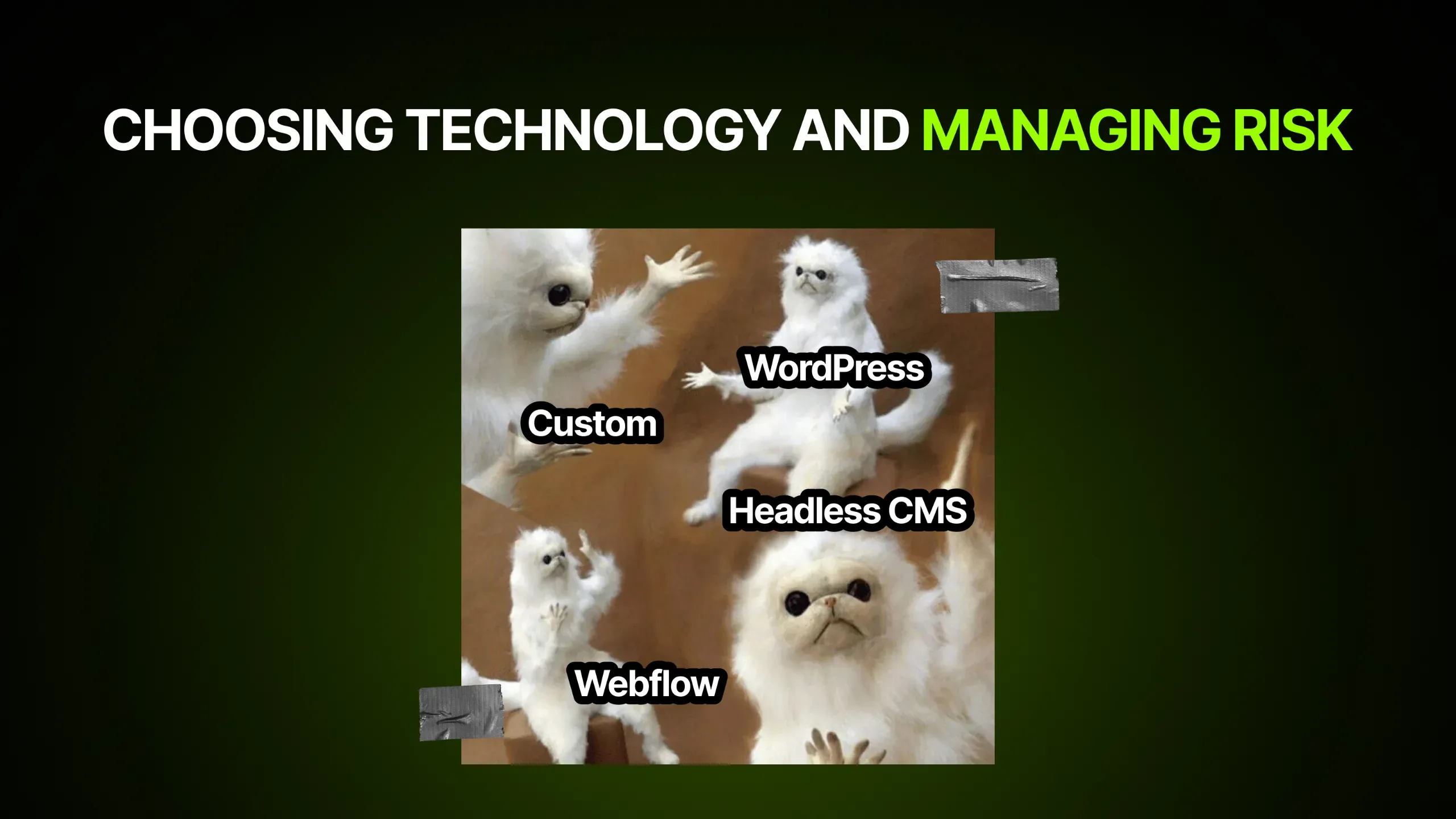
Should we build our B2B website in Webflow or WordPress?
Both Webflow and WordPress can power a solid marketing website. The more useful questions are: Who will edit it? Who will maintain it? What needs to integrate with it? And how much governance does your team need?
Before deciding, map those requirements to the current capabilities of each platform. Check the official documentation, too—features and limitations change, so yesterday’s comparison may already be outdated.
In practice, the deciding factor is often less about the platform and more about the people behind it. Pick the setup your team can confidently run after the agency hands over the keys.
When would we need a headless CMS?
A headless CMS can make sense when the same content needs to power several channels—or when a separate frontend team needs to control how that content is presented. For a standard marketing website, though, it’s often more architecture than you need.
The trade-off is extra work behind the scenes. With a headless setup, you’re taking responsibility for the frontend, hosting, integrations, and the connections between all those pieces—things a traditional CMS usually keeps under one roof.
Before choosing headless, list the channels that actually need shared content and map out how your marketing team will create, edit, and publish it. Then check the platform’s current official documentation to make sure it supports that workflow.
If you can’t name the problem headless solves, you probably don’t need headless.
Will redesigning our website hurt SEO?
It can—but a lot of the risk is avoidable. Some ranking fluctuation after a relaunch is normal. More lasting drops usually come from migration mistakes: removing pages without redirects, changing URLs without mapping the old ones, or losing important metadata along the way.
Before launch, inventory the existing site, map old URLs to their new destinations, and test redirects and indexing. Don’t leave this until the final QA round—it’s much easier to fix migration issues before the site goes live.
What should we expect for accessibility and mobile usability?
Accessibility and mobile usability should be part of the website from the start—not two things to bolt on at the end.
For accessibility, set a clear target and include it in the project scope. For European audiences, EN 301 549 is the relevant accessibility standard, and it builds on WCAG, including its Level AA requirements. The European Accessibility Act gives the standard legal relevance for certain products and services, but whether it applies to your business depends on your sector and market. If that matters for your project, get legal advice rather than relying on a provider’s assurance.
For mobile, responsive layouts should be part of the core build—not a separate extra. Test on representative devices and screen sizes, and make sure key journeys work just as well on a phone: reading a case study, navigating services, or submitting a form shouldn’t become an obstacle course.
Which integrations should be included in the website scope?
Include integrations based on how your business actually captures, qualifies, and routes leads—not just on what tools are available.
For most B2B websites, that usually means forms, CRM connections, consent management, analytics, and any systems your team relies on after someone clicks “submit.” Before development starts, define what data needs to be collected, where it should go, and who will use it afterwards.
Then test the full journey. Check what happens when a form is submitted, where the data appears, and how errors are handled. A form that looks like it worked but never reaches the CRM is one of those problems that stays invisible until a lead disappears.
Launching and operating the website
Can our marketing team update the site without a developer?
Yes—if the site is built with your team’s workflow in mind.
Routine updates like publishing case studies, editing copy, adding images, or creating new content can usually be handled internally when the CMS has the right fields, reusable components, and clear permissions. Bigger changes—like creating new page structures or modifying integrations—may still require development support.
Who owns the website, accounts, and assets after launch?
Once the website is fully built, tested, and accepted, the client should take full ownership of the project assets and accounts.
The usual process looks like this: the agency completes development, runs quality assurance, identifies and fixes any bugs, and shares the final version with the client for review and approval. Once the client accepts the website, the agency completes the handover.
This includes transferring access to all relevant accounts—such as the CMS or platform, hosting, domain, analytics, and connected tools—as well as handing over the final assets, documentation, and any credentials needed to manage the site independently.
Ownership and handover details should be clearly defined in the contract, so both sides know exactly what is transferred, when it happens, and who is responsible for each part of the setup.
What must be tested before we approve launch?
Before you approve a launch, you should see evidence that everything a visitor, a search engine and your own team depend on actually works. Approval based on a general impression tends to be a judgement call made under deadline pressure. A structured checklist, with a named owner for each blocker, replaces that.
At Qream, the pre-launch checklist covers these areas:
- Content and legal. Proofreading of all copy, including localized versions, and a check of licences for fonts and images. Legal and service pages (privacy policy, terms, 404) are in place and linked, and any new page appears in the header or footer where needed.
- Design and interaction. Button states (default, hover, active, disabled), all user flows and button destinations, and how the site behaves across browsers and on mobile, tablet and desktop.
- Forms and integrations. Forms send data to the right destination and show correct success and error messages. Third-party tools such as video hosting, scheduling, support chat, Google Analytics (with custom events where needed) and Hotjar work as intended.
- Performance and SEO. Images are optimized and compressed, and Google PageSpeed results are reviewed for performance, accessibility, best practices and SEO. Google Search Console shows no indexing issues on the defined pages, canonical URLs and meta tags are correct on every page, sitemap.xml and robots.txt are in order, and favicon and link previews display correctly.
- Infrastructure and security. Domain registration and hosting, SSL certificate, cookie management software, and the database, where one is used.
- Code and CMS. CMS data validation and configuration, including a working deployment button, linted and formatted code, tests and builds run before production deployment, automated tests where needed, and development documentation.
What maintenance and support will we need after launch?
You may need hosting, platform or plugin updates, content changes, bug fixes, and new features—and a retainer doesn’t necessarily cover all of them. Before signing anything, confirm what’s included, how many support hours you get, expected response times, how issues are escalated, and what happens when you need work outside the agreed scope.
The right setup mostly depends on how often your team plans to change the site. If marketing is constantly launching new pages, campaigns, and content, ongoing capacity can make sense. If the site is relatively stable, regular upkeep and occasional support may be enough.
How will we know whether the new website is working?
You’ll know the website is doing its job when the goals you agreed on before the project move in the right direction against the baselines you recorded—and when you can understand those changes in context.
First, make sure the measurement setup actually works. Check that analytics, custom events, forms, and other key tracking are firing correctly. Broken or missing tracking can make every conclusion that follows unreliable.
Then compare the results against your original baseline across three areas:
- Engagement—are visitors spending more time exploring the site and reaching the pages that matter?
- Performance—is the site loading, responding, and behaving as expected?
- Operating cost and speed—can your team update the site and launch new content faster, with less effort?
Don’t judge the website on one metric alone. Look at the movement across these areas, alongside changes in traffic, campaigns, seasonality, and other factors that could have influenced the numbers.
Got a website project in mind?
Bring us three things: what you want the site to achieve, what you have today, and what’s getting in the way. We’ll take it from there.

Written by

6+ years in B2B copywriting and content
Writes and shapes content for B2B and tech brands, specialising in website and brand copy, case studies, lead magnets, and content strategy. Focuses on making complex offers clearer and cutting unnecessary fluff.
Reviewed by

Qream co-founder | Design and product direction
Leads Qream's creative and product direction, connecting brand strategy, experience design, and business goals. Reviews content where design strategy, UX/UI, customer experience, and brand execution are central.